Hybrid Payment Link
Payin
Step 1. Initiate payment and get payment options.
POST /v2/payment-options
{
  "country": "TR",
  "currency": "TRY",
  "amount": 3130,
  "redirectUrl": "https://merchant.io/where-to-go",
  "language": "EN",
  "customer": {
    "name": "John Doe",
    "email": "[email protected]",
    "phone": "+34666999666",
    "userDevice": "MOBILE",
    "userAgent": "Mozilla/5.0 (X11; Linux x86_64) AppleWebKit/537.36 (KHTML, like Gecko) Chrome/51.0.2704.103 Safari/537.36",
    "ip": "84.232.140.77",
    "address": {
      "street": "32 Windsor Gardens",
      "streetNumber": "24",
      "country": "GB",
      "zipCode": "W9 3RG",
      "city": "London",
      "state": "Great London."
    }
  },
  "paymentReference": "Invoice ABC123",
  "userId": "Merch_User_123"
}
Response: /v2/payment-options
{
  "transactionId": "ad679871-92df-42eb-bc8b-1e642b3ae9f4",
  "sessionId": "21bc3a8f-dad5-4462-ad1c-f893e11c1d01",
  "paymentOptions": [
    {
      "paymentOptionId": "f34deaf0-a854-4d12-ae6a-b309c9feb409",
      "name": "Easy P2P",
      "logo": null,
      "extraData": []
    }
  ]
}
Step 2. Get payment suboptions.
Request payment suboptions for the paymentOptionId returned in step 1.
{
  "sessionId": "21bc3a8f-dad5-4462-ad1c-f893e11c1d01",
  "paymentOptionId": "f34deaf0-a854-4d12-ae6a-b309c9feb409"
}
Response: /v2/payment-suboptions
{
  "statusCode": "085",
  "resultType": "option_choice",
  "result": {
    "paymentOptionId": "f34deaf0-a854-4d12-ae6a-b309c9feb409",
    "transactionId": "ad679871-92df-42eb-bc8b-1e642b3ae9f4",
    "sessionId": "21bc3a8f-dad5-4462-ad1c-f893e11c1d01",
    "options": [
      {
        "id": "o_482",
        "name": "Bank suboption example 1",
        "logo": null,
        "uuid": "272655df-d90e-4ffb-bf3f-f5153187e119",
        "formInputs": []
      },
      {
        "id": "o_767",
        "name": "Bank option example 2",
        "logo": null,
        "uuid": "d89b915a-7d76-49ef-9388-13c5f7f25cf1",
        "formInputs": []
      },
      {
        "id": "o_768",
        "name": "Bank option example 3",
        "logo": null,
        "uuid": "07c27905-bb4f-4189-a00e-dcf170c4be58",
        "formInputs": []
      }
    ]
  }
}
Step 3. Request a hybrid payment and get a link to the Hosted Cashier
Select a suboption (optionId) and add it to the payment request payload together with paymentOptionId and sessionId.
POST /v2/hybrid-payment
{
  "sessionId": "21bc3a8f-dad5-4462-ad1c-f893e11c1d01",
  "paymentOptionId": "f34deaf0-a854-4d12-ae6a-b309c9feb409",
  "optionId": "o_482"
}
Response: /v2/hybrid-payment
{
  "statusCode": "300",
  "resultType": "redirect",
  "result": {
    "redirectUrl": "https://cashier.test.cyberpay.link/pay?sessionId=21bc3a8f-dad5-4462-ad1c-f893e11c1d01",
    "transactionId": "ad679871-92df-42eb-bc8b-1e642b3ae9f4"
  }
}
Step 4. User completes the payment
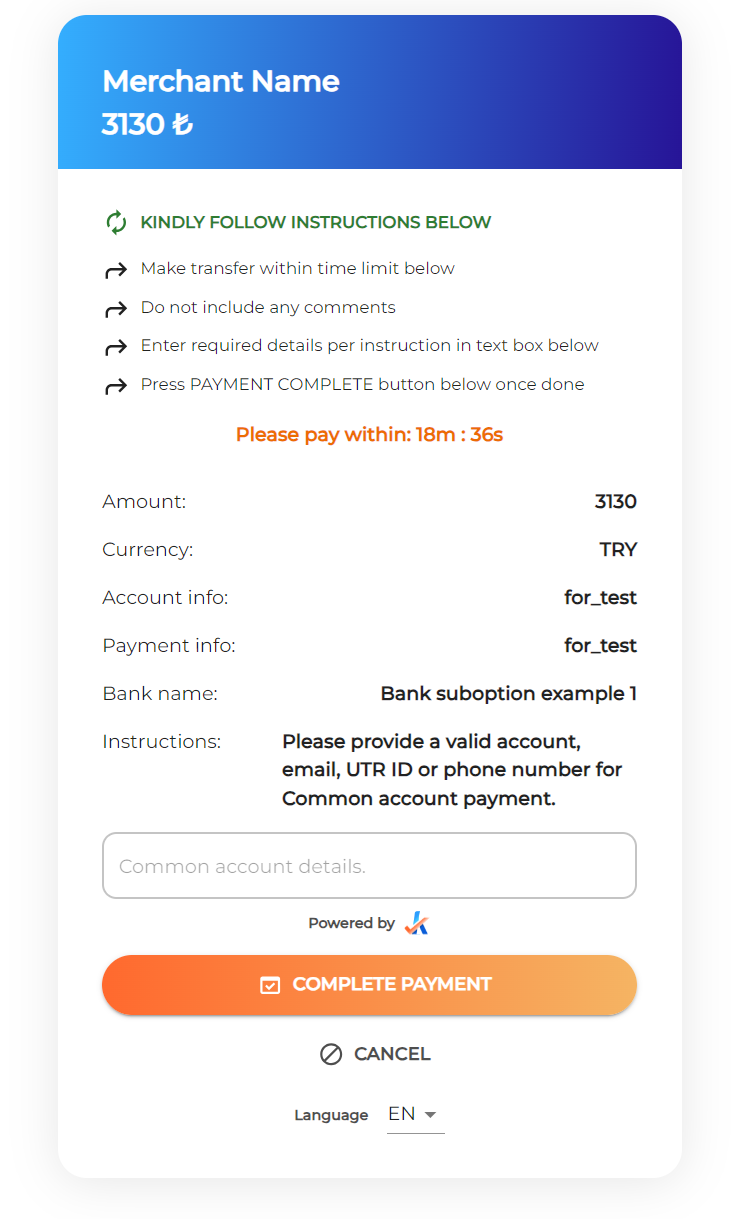
Redirect the user to the Hosted Cashier using the redirectUrl in the response to complete the payment. The additional information the user is asked to provide in this step will vary between payment options and countries. Test data for these values can be found here.
Step 5. Status page
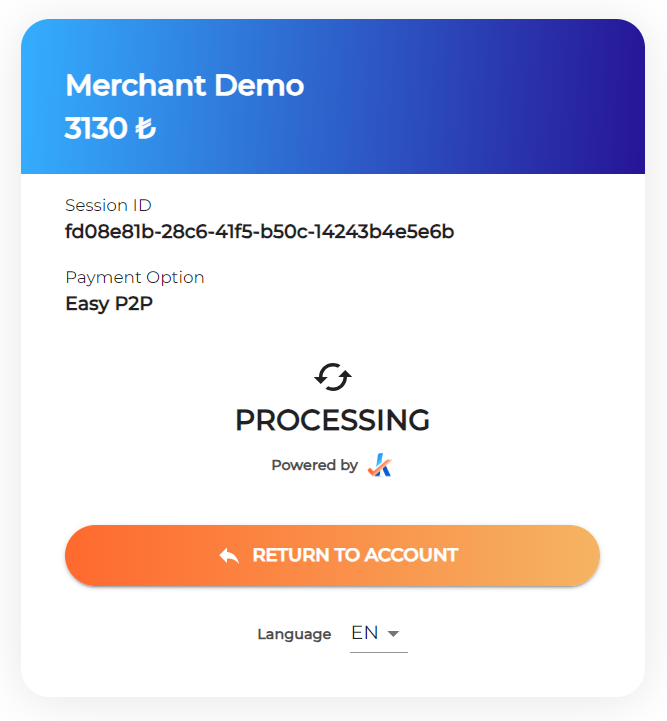
The payment remains in processing status until the network confirms the transaction. When the user clicks “RETURN TO ACCOUNT”, they are redirected to the redirectUrl provided in step 1.